Overview
In 2018 with the launch of their new website, Unionen stepped up its digitalisation efforts, moving services online so that members and elected representatives could get the help they need without phoning in or filling out a paper form. Between 2019 and 2022 I worked as a consultant on that journey, embedded in several development teams and taking each project from brief to launch: research, concept and requirements, prototyping and user testing, final design, and QA alongside the developers.
- Member and representative services: Designed and redesigned services for both sides of the organisation, from a work-law knowledge base, a salary coach and a collective agreement reader for members who visit the site rarely and usually under stress, to the administrative tools used by Unionen’s 27,000 elected representatives, of which the Annual Meeting Tool was the largest.
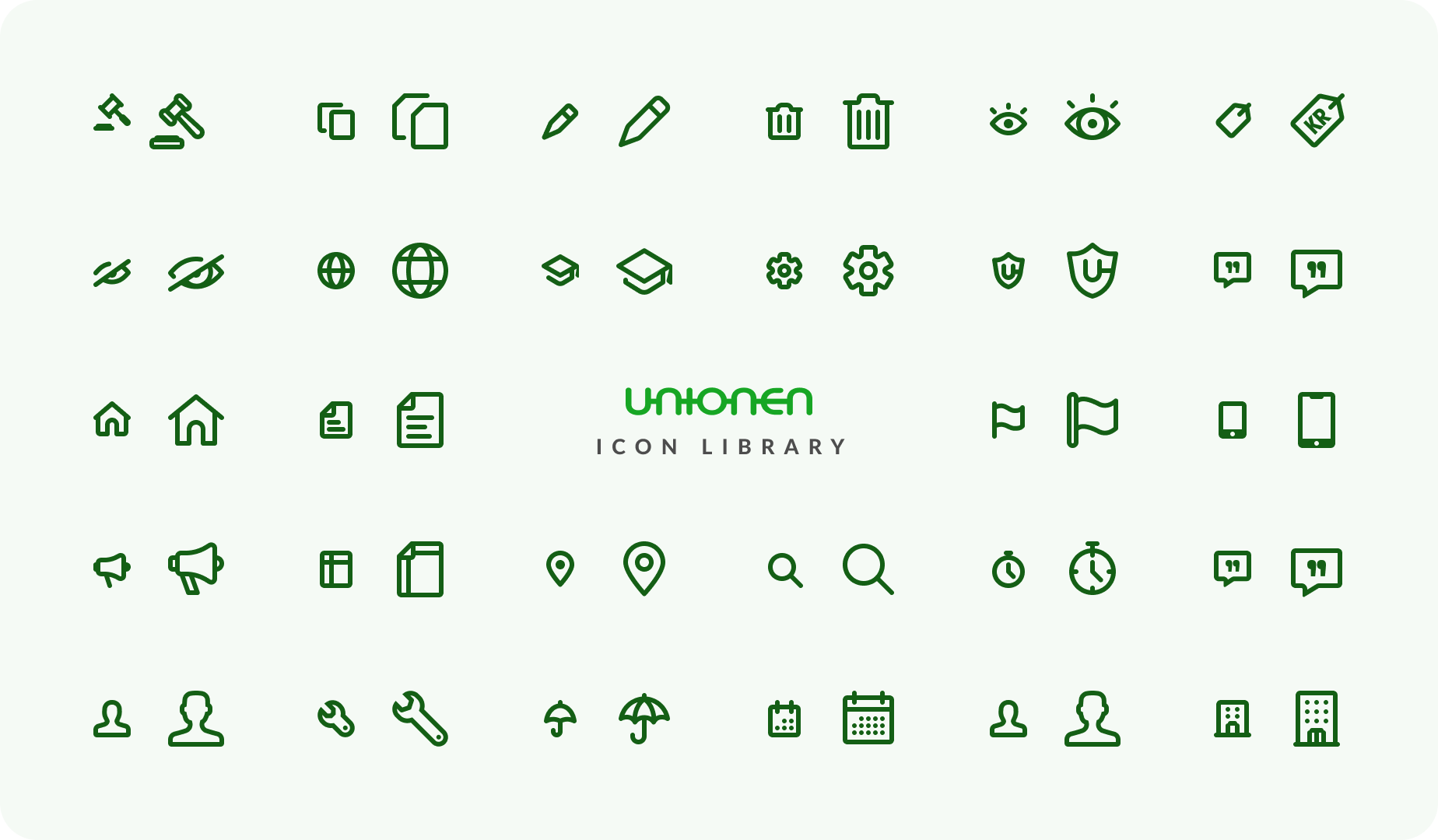
- Unionen UI: Established and maintained Unionen’s Figma design system, including a hand-drawn library icons and responsive components mapped to the front-end’s Sass variables and naming conventions.
- Working within constraints: Much of the work meant designing on top of an established backend and an existing visual language, finding the best experience achievable within what was already there rather than what could be built from scratch.

The organisation
Unionen is Sweden's largest trade union, representing more than 600,000 members and 27,000 elected representatives across some 88,000 private-sector workplaces. Its members are white-collar professionals in almost every industry in the country, and its role in their working lives ranges from providing salary statistics to backing them through a redundancy or a dispute with an employer.
Alongside the members sit the elected representatives: the volunteers who run Unionen's local clubs, negotiate at their own workplaces and keep the union present in them. They are the organisation's backbone, and a great deal of Unionen's administrative work runs through them. Since 2018 the organisation has pushed to move both sides of that relationship online, replacing phone calls and paper forms with digital services members and representatives can use on their own.
The challenge
Unionen has two quite different audiences, served by largely separate services. Members visit Unionen.se rarely, and usually because something has gone wrong at work. They arrive with a specific worry and no interest in learning how the site is organised. For everything member-facing, one principle held: keep it simple, and get them to the answer fast. The elected representatives were the harder half, because their split ran inside the group. Some work with union matters every day and know the rules in detail; others are active a few hours a year and may log in only to update their club’s contact details or submit their annual meeting documentation. The same tool has to be powerful enough for the first group and self-explanatory for the second, without turning into two products. There was a technical reality on top of that. Much of Unionen’s backend had roots predating the digitalisation effort. In practice this meant designing the best possible experience on top of what already existed, rather than the one a clean slate would have allowed. It made scoping and prioritisation as much a part of the design work as the interface itself.
My role
I worked as a consultant embedded in Unionen’s development teams, most often as the only designer in the room. Unionen had a small in-house UX/UI team I collaborated with, and occasionally we ran larger projects together, but my day-to-day work was alongside engineers, usually a mix of consultants, with a Unionen employee leading the team. The design organisation was young and had no clear design lead, which meant nobody handed me a process. Working out who to talk to and what the real requirements were was a core part of the job.
I interviewed members, representatives and the internal specialists who knew the rules, turned what I found into requirements and a design direction, built and tested prototypes, and delivered the final design. I stayed with it through implementation, working closely with the developers and taking an active part in QA, so what shipped matched what had been designed.
Tools & approach
Figma was my main tool, used for everything from early wireframes to the high-fidelity prototypes. I prototyped in it heavily: for tools this procedural, a clickable prototype was usually the fastest way to find out whether a flow made sense to someone who had never seen it before. Research was something I organised together with the Unionen team leads. Depending on the project that meant reading statutes, conducting user interviews, observing real usage in the field, and conversations with experts within Unionen who understood the rules a tool had to comply with. On the technical side I supported questions that sat between design and front-end, such as image optimisation and alignment with the front-end framework, and I worked directly with developers during implementation and QA.
Unionen UI: the design system
Several designers had worked on Unionen.se over the years, across multiple development teams and with no shared foundation, and the design language had drifted accordingly. Decisions were remade on each project, and there was no single place to find out what the right answer was. The largest piece of work I took on outside individual projects was building something to stop that drift: Unionen UI, a Figma-based design system.
It covered colours, typography, shadows, icons and components, together with documentation ranging from how to draw a new icon to when a modal was the right pattern. Components were built with auto layout and variables so they held up in both high-fidelity prototypes and final handover, and each one carried references to the Sass variables and naming conventions used in the codebase, so a developer could map a design to code without asking. I also drew a custom library of more than 100 icons, for use across Unionen’s digital platforms.
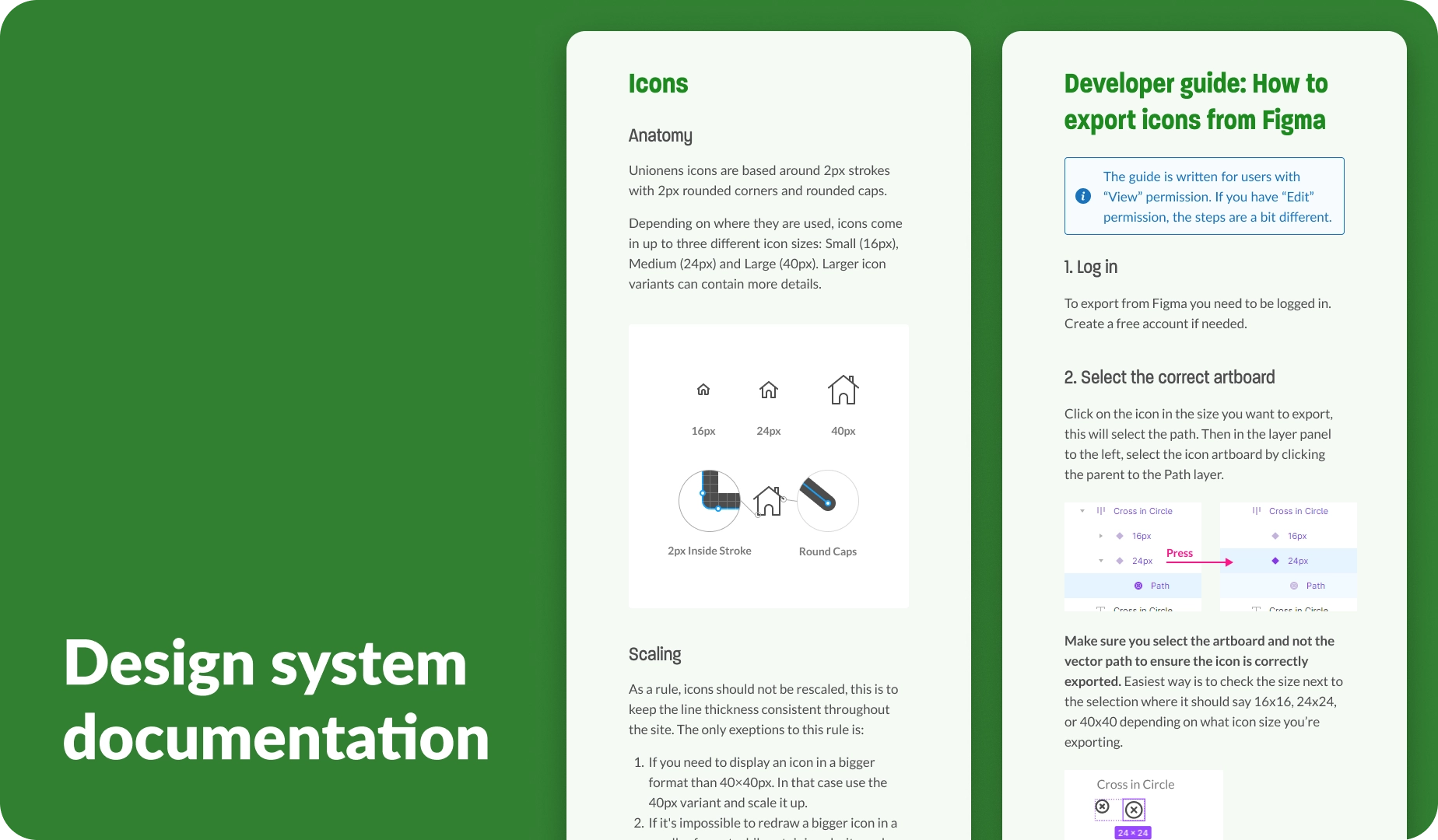
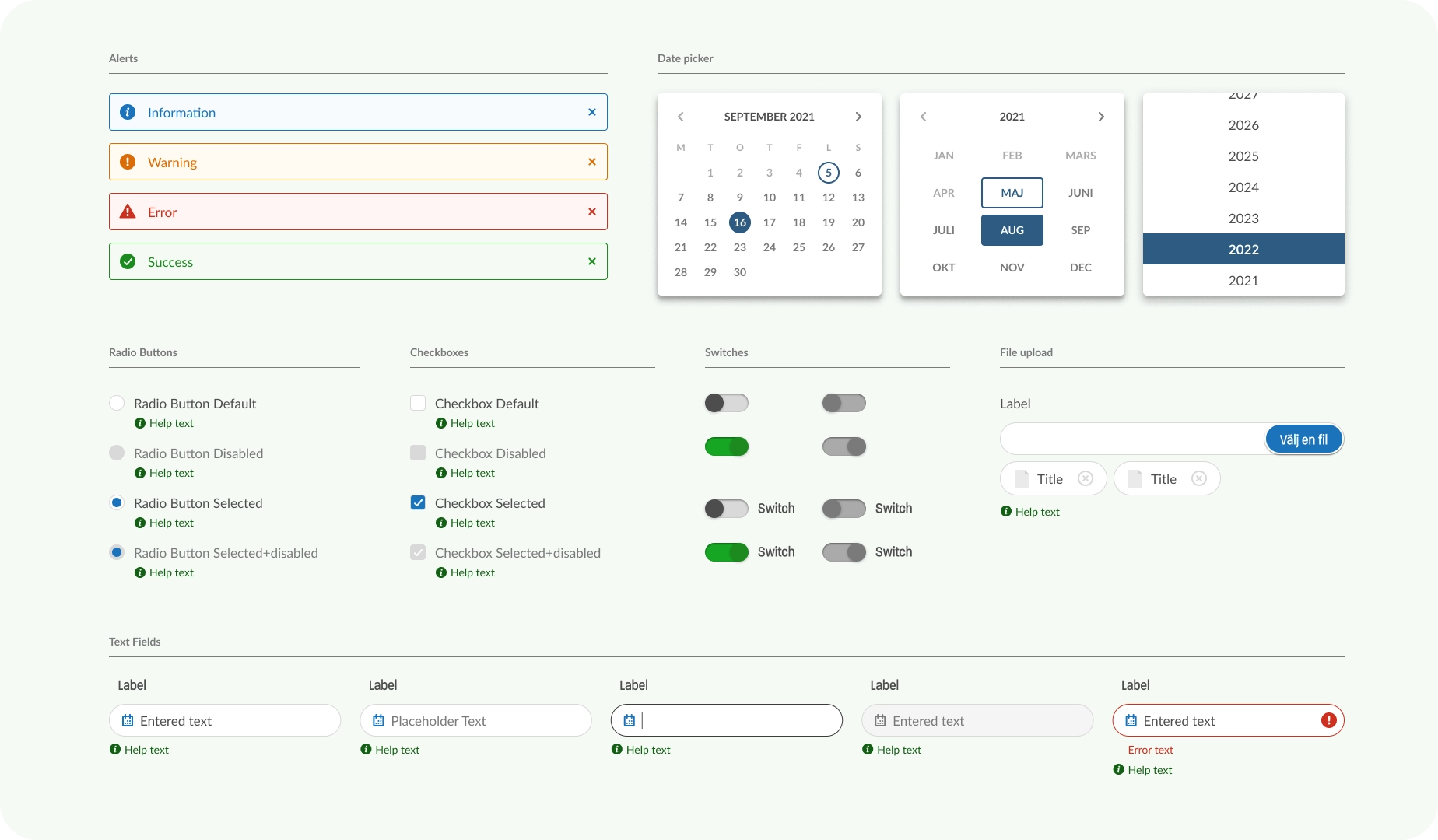
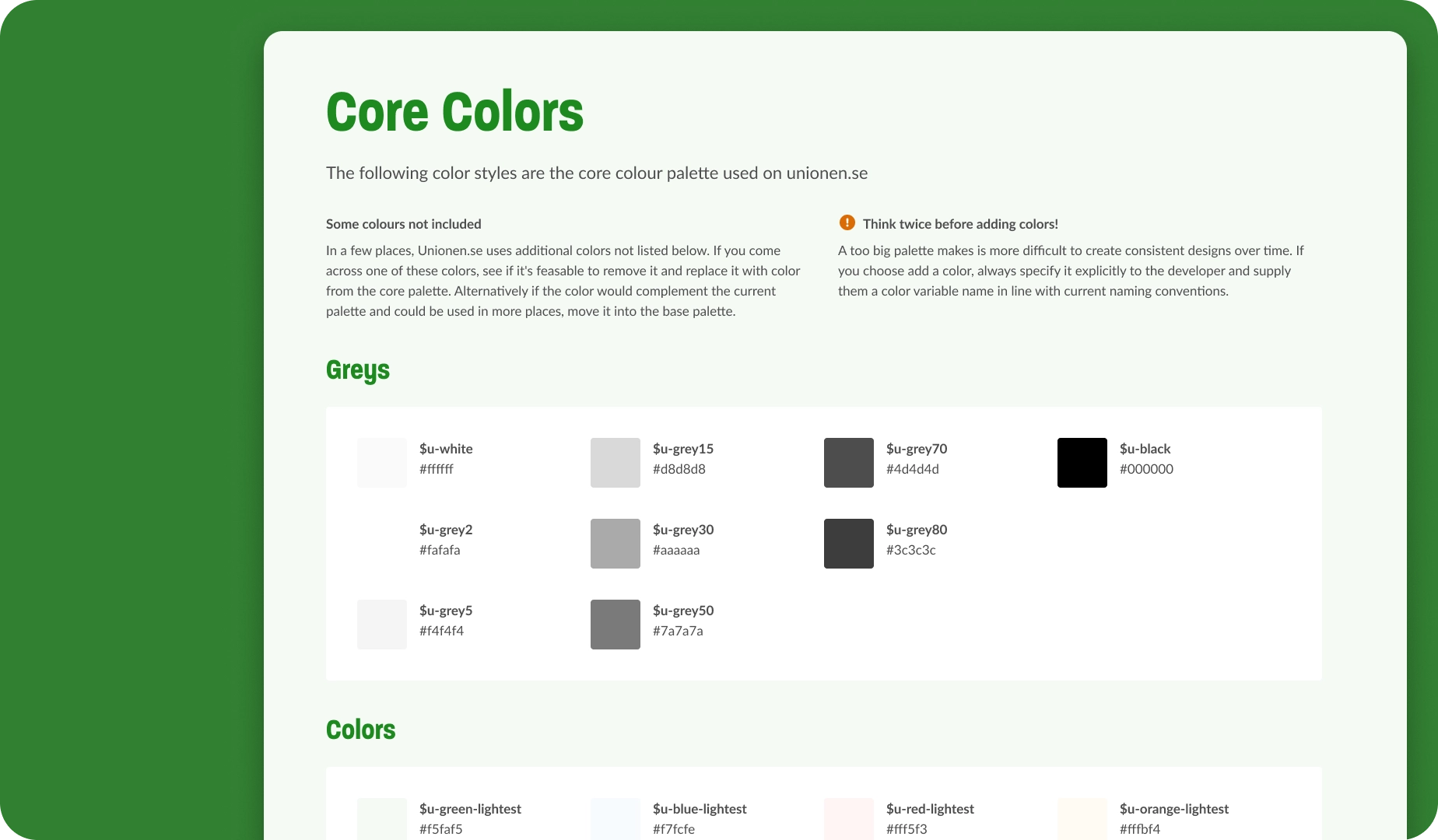
Unionen’s front end was split across two codebases, plain CSS and Vue. In the Vue parts of the site, where most of my work sat, the system was fully adopted and did what it was built to do. Elsewhere it was picked up more selectively, but it still gave the organisation something it had not had before: one place where the design decisions were documented.
Case study: The Annual Meeting Tool
Every Unionen club holds an annual meeting. It is the biggest event in the club’s year: results are presented, decisions are taken and new representatives are elected. It is also the moment when a volunteer organisation meets formal process, because the meeting has to follow the union’s statutes to be valid, and it generates paperwork before, during and after that must reach Unionen in the right form.
The problem
For the representatives running them, the stress of an annual meeting had little to do with the meeting itself. The rules were extensive and easy to get wrong, and much of the administration was manual: assembling an agenda, inviting members, keeping notes that would stand up as a protocol, collecting signatures, and submitting the result. For someone doing it for the first time, or once a year, the process demanded considerable time and effort. Unionen felt the same problem from the other end. Protocols came in from roughly 2,500 clubs and varied enormously in quality and completeness. Missing or inconsistent information meant Unionen employees spent significant time chasing clubs for corrections, work that produced nothing beyond getting the paperwork into a usable state.
Approach & solution
Before any design work began, the team attended several annual meetings at different clubs to see how they were actually run, which turned out to differ considerably from club to club. In parallel we studied the statutes and the formal requirements and interviewed senior Unionen employees who had spent years dealing with the consequences of meetings that had gone wrong.
I led the UI and UX work on the tool, supported by one of Unionen’s service designers. What we designed was a step-by-step digital assistant that walks a representative through the entire annual meeting, from first planning to final submission.
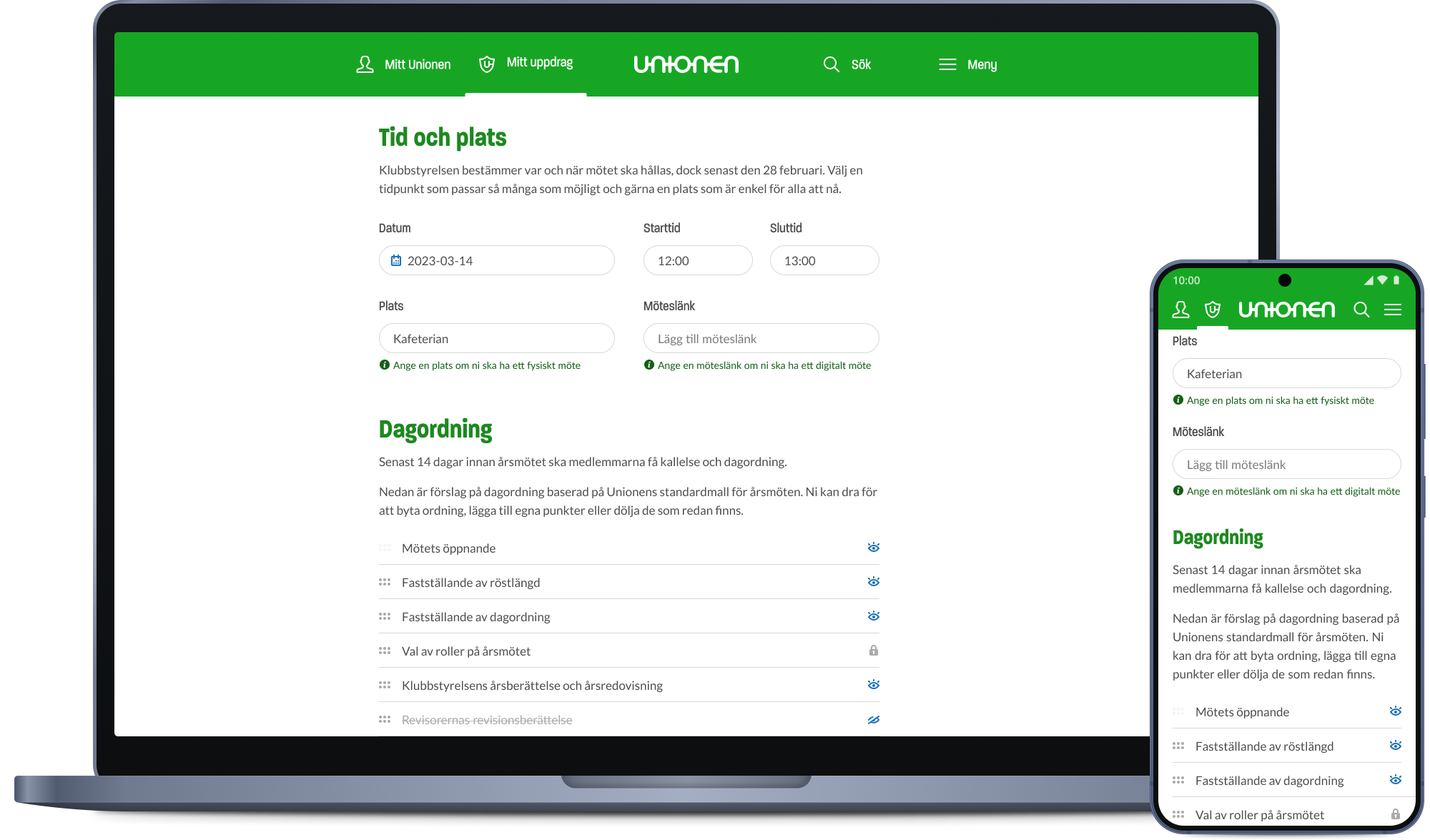
Before the meeting, representatives set a date and generate a suggested agenda directly in the tool, with built-in templates for sending invitations by email or as a news post, quick-copy text and .ics calendar invitations to make distribution straightforward, and guides and templates that ensure the required documents are prepared correctly.
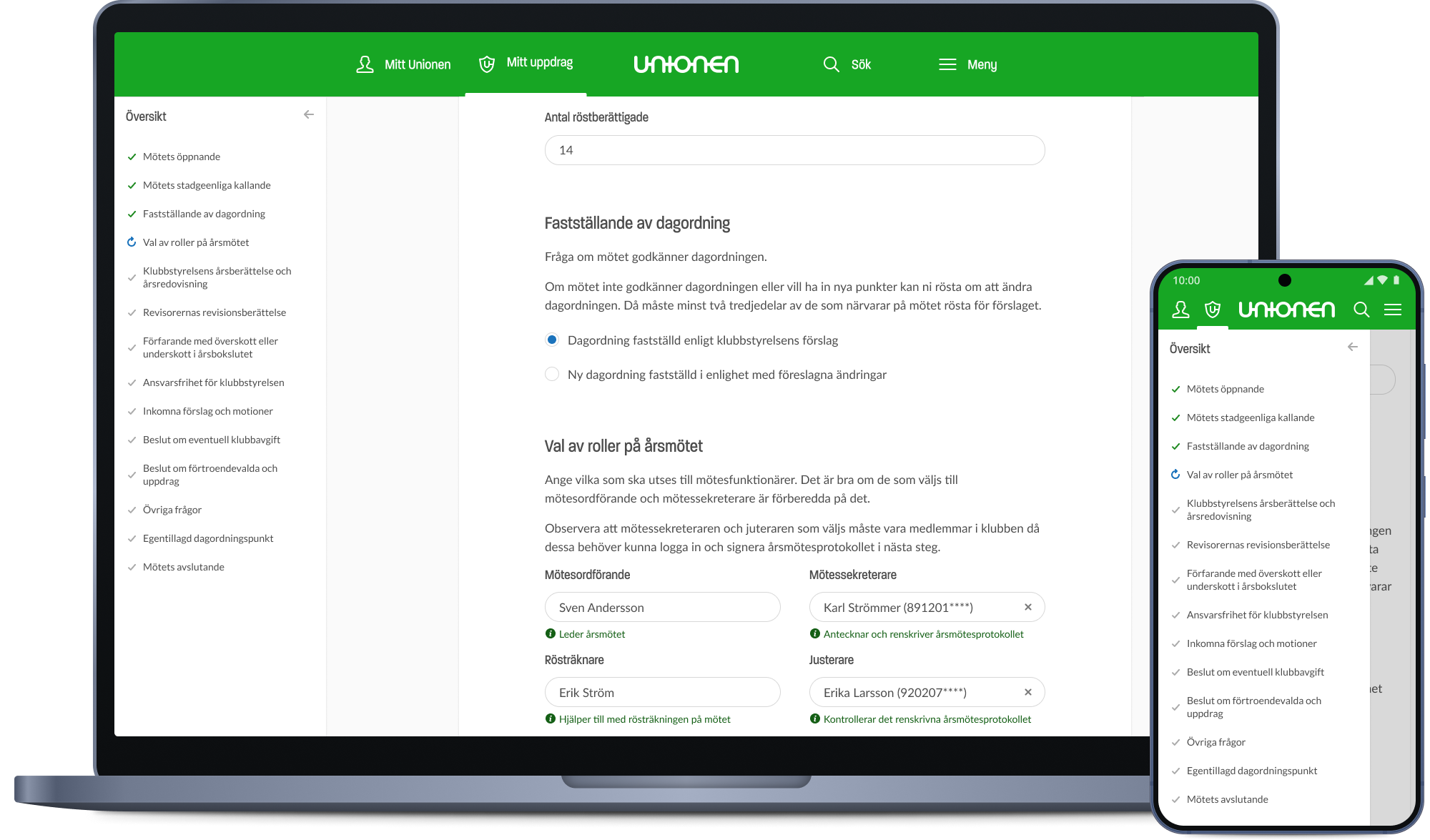
During the meeting, that agenda becomes a live protocol the secretary fills in as each item is dealt with, keeping the meeting on track and saving continuously so nothing is lost if a laptop closes or a connection drops.
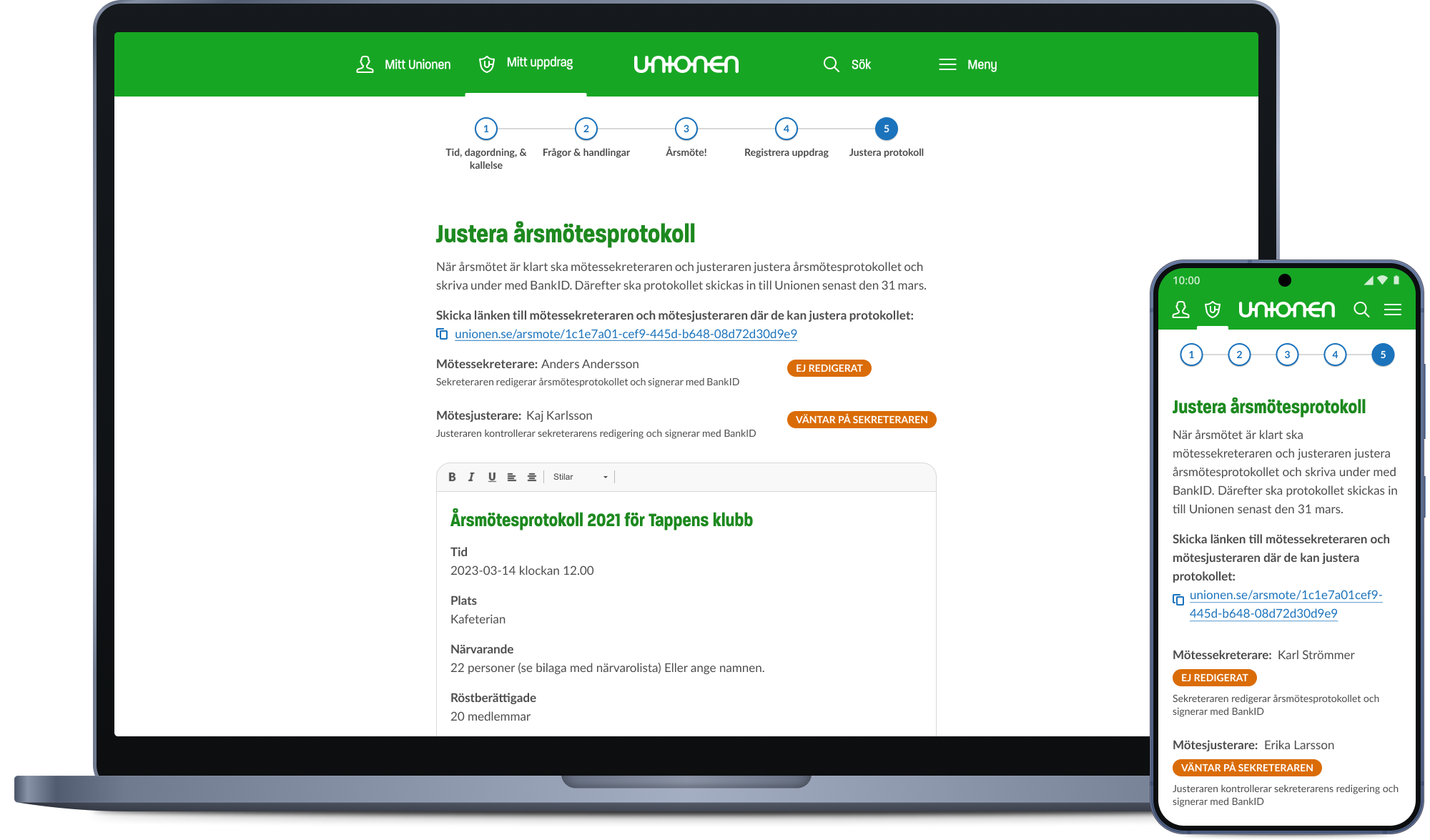
After the meeting, a wizard registers who was elected, and the tool assembles everything into a finished protocol for the secretary to review and edit before it is signed digitally with BankID by the secretary and the adjusters. Final documents can be uploaded and submitted to Unionen directly from the tool, closing the loop without a single piece of paper.
Once the first version had shipped, we went back into the field the following year and attended more annual meetings to see the tool used for real. That second round of observation drove the improvements to the first iteration and was the part of the project I would repeat on anything procedural: watching someone use a tool under the pressure of a live meeting tells you things no test session will.
Outcome
For elected representatives, the tool removed much of the procedural anxiety from the annual meeting. Planning, running and finalising a meeting became a matter of following a sequence rather than knowing the statutes.
For Unionen, the effect showed up in the administration. By its second year the tool was adopted by around 75% of the roughly 2,500 clubs, and incomplete or inconsistent submissions dropped sharply as a result, freeing Unionen’s employees from the repetitive follow-up work that had previously come with the annual meeting season.
Reflection
Unionen taught me to earn a mandate rather than wait to be given one. It is a large organisation with well-established ways of working, and design was new enough not to have one of its own yet, which as an external consultant left me free to find my own route. Every project started with working out who knew what, who decided what, and who would be affected. Then it came down to deciding what good looked like when there was no one else to decide it.
It also taught me to design inside constraints. Some were technical: a backend with a lot of legacy, and an inherited visual language. Others sat in the users themselves, most sharply with the elected representatives, whose tools had to be capable enough for people working with union matters daily and self-explanatory for volunteers opening them once a year. Either way, the job was to get the best result possible inside limits I had not set. The Annual Meeting Tool is the clearest example of this done well: nothing about the underlying systems changed, and it still took most of the work out of a club’s biggest event of the year.